
 Muhammad Naeem
144Hz is the refresh rate where gaming stops feeling like a compromise. The question in Pakistan is not whether to buy 144Hz, but where on the ladder to stop: 1080p at Rs. 50,000, 1440p around Rs. 84,000, or the 165Hz and 180Hz models above that. We checked prices on 1 October 2026, and the six monitors below are the ones actually worth your money, in the order most buyers should consider them.
Quick answer: The Gigabyte G27Q at Rs. 83,600 to Rs. 84,900 is the best 144Hz monitor for most people: 1440p resolution, wide colour, and in stock. On a tighter budget, the AOC 24G2 delivers 144Hz at 1080p for Rs. 50,000. If Rs. 50,000 is your ceiling, our gaming monitors under Rs. 50,000 guide goes deeper on that tier.
1. Gigabyte G27Q: best 144Hz monitor overall
The G27Q gets the balance right. A 27 inch 1440p IPS panel at 144Hz is the sweet spot for an RTX 4060 class PC: sharp enough that 1080p looks soft afterwards, fast enough for competitive play, and priced at Rs. 83,600 to Rs. 84,900, with Paklap showing stock when we checked. Colour coverage of 92% DCI-P3 means it doubles as a solid editing screen.
If you are buying one monitor to keep for five years, this is the one. Full listings are on our Gigabyte G27Q price in Pakistan page.
- 1440p and 144Hz together, the current price to performance sweet spot
- 92% DCI-P3 colour suits photo and video work as well as games
- Height adjustable stand and USB ports built in
- In stock at major sellers when checked
- No swivel or pivot, so portrait use needs a separate arm
- Built in speakers are weak; budget for headphones
- HDR400 certification is mild and not a reason to buy
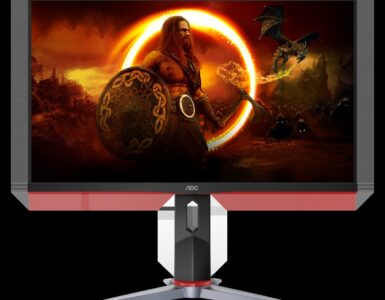
2. AOC 24G2: best value 144Hz
Not every PC needs 1440p. If your graphics card is happiest at 1080p, the 24G2 gives you the same 144Hz smoothness for Rs. 50,000 new, and used units move from Rs. 35,000. It remains the easiest recommendation in Pakistani gaming because stock and second hand supply are both healthy.
See current sellers on the AOC 24G2 price in Pakistan page.
3. MSI Optix G241: the esports alternative
The G241 matches the AOC on paper: 24 inch, 1080p, 144Hz, IPS. The differences are in tuning and availability rather than headline specs. New stock at JunaidTech was Rs. 53,999, and used prices start around Rs. 34,000, which is the smart way to buy one.
Pick it over the 24G2 if the price is better on the day or if you prefer MSI’s on-screen menu. It is tracked on our MSI Optix G241 price in Pakistan page.
4. ViewSonic VX2758-2KP-MHD: cheapest route to 1440p
At Rs. 73,999 to Rs. 76,500, the ViewSonic undercuts the G27Q by around ten thousand rupees while keeping a 27 inch 1440p 144Hz IPS panel. The catch is availability: both sellers we track were out of stock when we checked. If you find one in a shop at that price, it is a good buy. Do not pay a premium over the Gigabyte for it.
Watch listings on the ViewSonic VX2758-2KP-MHD price in Pakistan page.
5. Samsung Odyssey G5 27: the 165Hz curve
The Odyssey G5 steps the refresh rate up to 165Hz and wraps it in a strong 1000R curve at 1440p. Sellers listed it between Rs. 70,500 and Rs. 77,000. Curved screens divide opinion: immersive for racing and story games, less loved for competitive shooters and precise design work. Try to see one in person before paying.
Details are on our Samsung Odyssey G5 27 price in Pakistan page.
6. LG 27GP850: the premium rung
The 27GP850 runs 165Hz natively and 180Hz overclocked, with LG’s Nano IPS panel and response times that keep up at those speeds. It was listed at Rs. 149,990 to Rs. 149,999. That is nearly double the G27Q, and the honest truth is that most players will not feel the extra 36Hz. Buy it if you play competitive titles daily and the rest of your setup is already strong.
Listings are on the LG 27GP850 price in Pakistan page, and the full catalogue sits in our Monitors section.
The 144Hz ladder: where each step stops paying
Going from 60Hz to 144Hz is a night and day jump that every gamer feels. Moving from 144Hz to 165Hz is a small polish, visible mainly in fast shooters. The 180Hz overclock on the LG is smaller still. Resolution behaves similarly: at 27 inches, 1440p is visibly sharper than 1080p, while 4K at this size helps creators more than gamers. Spend on the 1440p step before the refresh rate step, unless esports is your whole world, in which case a fast 1080p panel and a higher frame rate serve you better.
One practical warning: your graphics card has to feed the monitor. A 1440p 144Hz screen paired with an entry level GPU will run at 60 frames in most games, and you will have paid for refresh you cannot use. Match the panel to the card, not the other way round.
Comparison table
| Pick | Best for | Price anchor (checked 1 Oct 2026) | Full price page |
| Gigabyte G27Q | Best overall (1440p) | Rs. 83,600 to Rs. 84,900 | Gigabyte G27Q |
| AOC 24G2 | Best value (1080p) | Rs. 50,000 new; used from Rs. 35,000 | AOC 24G2 |
| MSI Optix G241 | Esports alternative | Rs. 53,999 new; used from Rs. 34,000 | MSI Optix G241 |
| ViewSonic VX2758-2KP-MHD | Cheapest 1440p | Rs. 73,999 to Rs. 76,500 (out of stock at check) | ViewSonic VX2758-2KP-MHD |
| Samsung Odyssey G5 27 | 165Hz curved immersion | Rs. 70,500 to Rs. 77,000 | Samsung Odyssey G5 27 |
| LG 27GP850 | Premium 165Hz/180Hz | Rs. 149,990 to Rs. 149,999 | LG 27GP850 |
Who should buy which monitor
One monitor for years: the Gigabyte G27Q. Resolution, refresh rate, and colour are all where the market is settling.
Esports on a budget: the AOC 24G2 or a used MSI Optix G241. Spend the savings on the GPU that feeds them.
Racing and immersive single player: the Samsung Odyssey G5, if the curve suits you.
Competitive daily driver with money to spend: the LG 27GP850, knowing the gain over 144Hz is small but real for you.
FAQs
Can my PC actually use a 144Hz monitor?
Check two things: the game must run above 100 frames per second on your graphics card, and your cable must support the rate. Use DisplayPort where possible. HDMI versions vary, and the wrong cable can quietly cap you at 60Hz or 120Hz.
Is 1440p worth it over 1080p for gaming?
At 27 inches, yes for most players. The image is visibly sharper and current midrange cards handle 1440p well. At 24 inches, 1080p still looks fine and costs far less.
Should I buy 165Hz instead of 144Hz?
Only if the price difference is small or esports is your focus. The jump from 144Hz to 165Hz is subtle. The jump from 60Hz to 144Hz is the one that changes how games feel.
Why is the ViewSonic listed if it is out of stock?
Because at Rs. 73,999 it is the cheapest 1440p 144Hz option when stock appears, and shops restock quietly. We flag the stock status honestly instead of dropping it, so you know to grab it when it shows.


Add comment