
 Muhammad Naeem
A good 27 inch monitor in Pakistan costs between Rs 70,500 and Rs 149,990 in the QHD tier that most buyers should choose, based on seller listings checked on 1 October 2026. This is the size where resolution matters most: QHD looks sharp, 1080p looks soft. This guide prices the 27-inch models actually selling here and explains which one fits office work, gaming, or both.
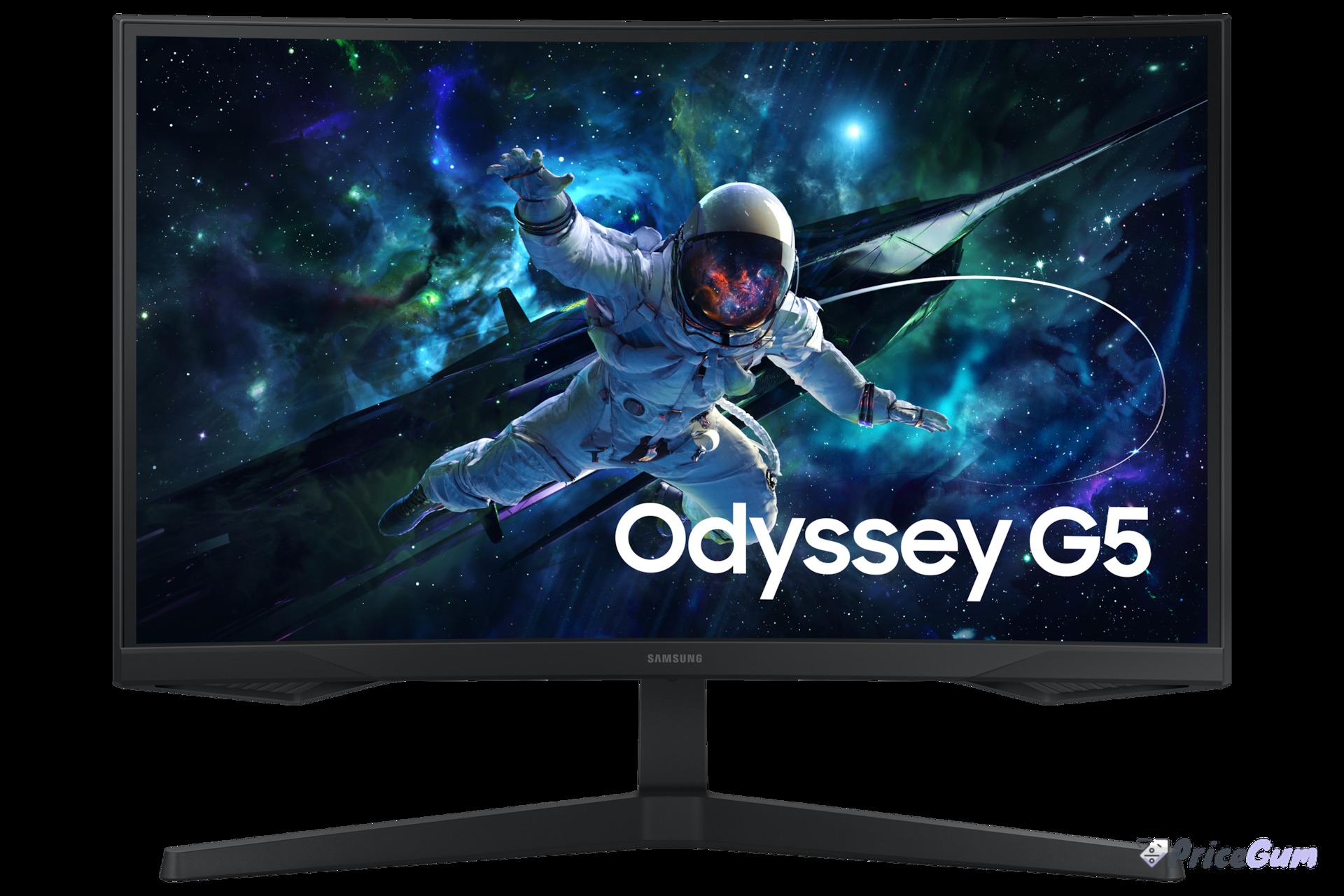
27 inch monitor prices in Pakistan
| Model | Price (Rs) | Stock and notes |
| Samsung Odyssey G5 27 (QHD, 165Hz, curved) | 70,500 to 77,000 | Listed |
| ViewSonic VX2758-2KP-MHD (QHD, 144Hz) | 73,999 to 76,500 | Both checked listings out of stock |
| Gigabyte G27Q (QHD, 144Hz) | 83,600 to 84,900 | Listed |
| LG 27GP850 (QHD, 180Hz OC) | 149,990 to 149,999 | Listed, premium tier |
Every model in the table has a full price page on this site: the Samsung Odyssey G5 27, the ViewSonic VX2758-2KP-MHD, the Gigabyte G27Q and the LG 27GP850. If your priority is refresh rate over size, start from our 144Hz gaming monitor ladder instead.
Why 27 inches needs QHD
| Resolution at 27 inches | Pixel density | Best for |
| 1920 x 1080 (FHD) | About 82 ppi, visibly soft text | Budget gaming only |
| 2560 x 1440 (QHD) | About 109 ppi, sharp text and games | Most buyers: work plus gaming |
| 3840 x 2160 (4K) | About 163 ppi, very sharp | Design, video editing, big budgets |
At a normal desk distance, a 27-inch 1080p screen shows visible pixel structure in text. QHD (2560 x 1440) fixes that and gives roughly 77 percent more workspace than 1080p, which is why every model in our table is QHD. If your work is spreadsheets and documents all day, that extra space replaces a second monitor for most people.
Which 27 inch monitor should you buy?
For gaming value, the Odyssey G5 27 at Rs 70,500 to 77,000 is the default pick: QHD, 165Hz, and a curve that suits single-player titles. For flat-panel esports and mixed use, the Gigabyte G27Q around Rs 83,600 to 84,900 is the balanced choice. For buyers who want the best panel in this size and can stretch, the LG 27GP850 near Rs 149,990 brings a faster Nano IPS screen. Office-only buyers should take any of these over a cheap FHD 27-inch; your eyes will thank you within a week.
Setting up a 27 inch monitor properly
Size only helps if the setup is right. Keep the top of the screen at or just below eye level and about an arm’s length away; the stands on most models in our table adjust for height, and the ones that do not are worth pairing with a cheap monitor arm. At QHD you can run Windows at 100 percent scaling for maximum workspace, but most people read more comfortably at 125 percent, which still leaves far more room than a 24-inch 1080p screen. Enable the full refresh rate in display settings on day one, and use DisplayPort for gaming so features like adaptive sync work as intended.
Ports and features worth paying for
Two features separate a monitor you keep for six years from one you replace in two. Height adjustment sounds dull until you spend eight hours a day with a screen fixed too low; check for it, or budget for a VESA arm and confirm the panel has VESA holes. Second, USB-C with power delivery turns the monitor into a laptop dock with one cable, which is worth real money to laptop users even if desktop owners never touch it. Built-in speakers are a bonus, not a reason to buy; they are fine for calls and weak for everything else on every model in this price range.
What GPU pairs with a 27 inch QHD screen?
QHD asks roughly 77 percent more of your graphics card than 1080p, so match the monitor to the GPU honestly. For esports titles, mid-range cards hold high frame rates at QHD without complaint. For story games at high settings, an RTX 4060 class card and up is the comfortable zone, and older cards will need settings lowered or upscaling switched on. Office and study use asks almost nothing: any modern laptop or integrated graphics drives QHD over HDMI or USB-C. The mistake to avoid is pairing the cheapest 27-inch panel with a high-end GPU, or the reverse; the screen and the card should be bought as one decision, which is why our ladder above stays in the genuine QHD tier.
Pros and cons
- QHD at 27 inches is the sharpness sweet spot for work and gaming alike
- Prices from Rs 70,500 put a good QHD 27-inch within reach of most builds
- One screen replaces dual-monitor setups for many desk workers
- 1080p at 27 inches looks soft up close; avoid budget FHD 27-inch panels
- Some listed models are out of stock, so the live choice may be two or three models, not four
- A 27-inch panel needs a deeper desk than a 24-inch; measure before buying
Frequently asked questions
What is the 27 inch monitor price in Pakistan?
QHD models run from Rs 70,500 (Samsung Odyssey G5 27) to about Rs 149,990 (LG 27GP850). Cheaper FHD 27-inch panels exist but look soft at desk distance.
Is 27 inch too big for office work?
No, at QHD it is the most comfortable single-screen size for documents and spreadsheets. Just keep the screen about an arm’s length away.
27 inch or 24 inch for gaming?
Choose 27-inch QHD for immersive and mixed gaming; choose 24-inch 1080p high-refresh if esports frame rates matter more than sharpness.
Curved or flat at 27 inches?
Curved suits gaming and single-user desks. Flat IPS panels are better for shared viewing, design work and accurate straight lines.
Bottom line: a 27-inch QHD monitor is the single most satisfying desk upgrade in this price range, because you feel the extra space and sharpness in every app, not just games. Start from the Odyssey G5 at Rs 70,500, step up to the G27Q if you want a flat IPS panel, and stretch to the LG only if frame rates and colour both matter. Just do not buy a 1080p panel at this size to save money; the saving is not worth a soft screen you look at all day.
Prices and stock checked 1 October 2026 from the model pages linked above. Confirm live stock and the dead-pixel policy before ordering, as monitor availability rotates quickly.


Add comment