
 Muhammad Naeem
Storage is the one part of a used PC that can take your data with it when it dies, and it is also the easiest part to verify with free software. A two-minute health check tells you more about a used SSD or hard drive than an hour of chatting with the seller. Whether you are buying a used drive on its own or judging the drive inside a used laptop or PC, this guide shows you exactly what to read, which numbers matter, and which numbers should end the deal.
The tool for the job is CrystalDiskInfo, free and standard worldwide. It reads the drive’s self-monitoring data, SMART, and shows health as a simple percentage along with the raw numbers behind it. Bring it on a USB stick to every meeting.
Checking a used SSD
Plug the SSD in, open CrystalDiskInfo and read these in order:
| Check | How to read it | Good sign | Walk away if |
| Health status | The big health percentage at the top of CrystalDiskInfo | 95 to 100 percent | Below 90 percent unless the price is trivial |
| Total host writes | Total writes in TB or GB, compared to the drive’s TBW rating | Under 20 percent of rated endurance used | Over half the rated endurance consumed, most 1TB flagships are rated around 600 TBW |
| Power-on hours | The hours counter in the SMART table | A few thousand hours at most | Tens of thousands of hours sold as lightly used |
| Power-on count | How many times the drive has been started | Plausible for the hours claimed | Count and hours disagree wildly, suggesting cleared data |
| Critical warnings | Media and data integrity errors, error log entries | All zero | Any non-zero critical warning count |
| Temperature | Idle and after a quick file copy | Idle around 35 to 45 degrees, load under 70 | Idle heat with no load, indicating controller damage |
| Firmware version | Compare the firmware string with the maker’s latest | Current firmware installed | Ancient firmware with known issues, like the early Samsung 980 PRO and 990 PRO health bugs |
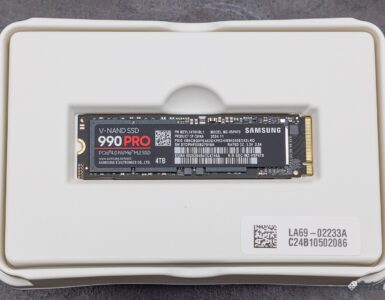
| Serial and label | Match the physical label to CrystalDiskInfo’s serial field | Intact label, serials match, warranty checkable on the maker’s site | Label peeled or serial scrubbed |
Checking a used hard drive
Hard drives die mechanically, so sound and sector counts matter as much as percentages:
| Check | How to read it | Good sign | Walk away if |
| Health status | CrystalDiskInfo percentage | Good at 95 to 100 percent | Caution or Bad status at any price for your main data |
| Reallocated sectors | SMART attribute 05, reallocated sector count | Exactly zero | Any reallocated sectors on a drive you would trust |
| Pending sectors | SMART attribute 197, current pending sector count | Zero | Any pending sectors; the drive is deciding what is unreadable |
| Power-on hours | The hours counter | Under 20,000 for a working drive | Past 40,000 unless it is priced as a disposable spare |
| Sounds | Listen closely during spin-up and seeks | Smooth hum, clean seek chatter | Clicking, beeping or grinding, the classic death sounds |
| Error scan | A quick bad-sector scan with HD Tune or HDDScan | All green blocks | Any red damaged blocks |
| Start and stop counts | SMART start-stop and load cycle counts | Sensible for the drive’s age | Absurdly high cycles hinting at abused NAS or CCTV duty |
What TBW means and why it matters
TBW, terabytes written, is the manufacturer’s endurance rating: how much data the drive is designed to write in its lifetime. Most flagship 1TB SSDs are rated around 600 TBW. Divide the drive’s total host writes by the rating and you get the fraction of its designed life already used. A drive showing 12 TB written on a 600 TBW rating has barely been touched. One showing 400 TB written is living on borrowed time, whatever the health percentage says.
Can SMART data be faked?
Sometimes, yes. Some refurbished drives have their SMART counters reset, which is why you never trust the health percentage alone. Cross-check: do the power-on hours match the seller’s story and the drive’s physical condition? Does the power-on count line up with the hours? Is the label genuine, with a serial you can verify on the maker’s warranty page? A drive with a spotless report but a peeled label and a price that is too good is telling you exactly what happened.
The fair price method
New drives are the anchor, and they are cheap enough in Pakistan that a used drive has to be genuinely cheap to make sense. During our October 2026 checks, the Lexar NM790 1TB was the budget answer at Rs. 24,990 new, and flagship 1TB drives sat around Rs. 46,999 to Rs. 48,500, as our best NVMe SSDs in Pakistan roundup and our Samsung 990 PRO 1TB price in Pakistan page show. Against that:
- Health 95 percent plus, low writes, warranty remaining: up to 70 percent of the new price is fair.
- Health 90 to 95 percent, moderate use: 50 to 60 percent.
- Below 90 percent health, or any reallocated sectors on an HDD: only buy if it is priced as a scratch disk and never for your only copy of anything.
If the gap between a clean used SSD and a new Lexar NM790 1TB price in Pakistan listing is only a few thousand rupees, buy the new drive with its full warranty and zero written terabytes.
- CrystalDiskInfo shows 95 to 100 percent with zero warnings
- Total writes well under the TBW rating, hours match the story
- Label intact and the serial verifies on the maker’s site
- Firmware is current and temperatures are normal
- Any reallocated or pending sectors on a hard drive
- Clicking or grinding sounds on spin-up
- Label peeled or serial that verifies nowhere
- Health percentage looks new but the price is impossibly low
Frequently asked questions
Is 90 percent health fine on a used SSD?
It is acceptable for a secondary drive at the right discount, but not ideal for your main drive. Under 90 percent, the drive should be priced as a scratch disk, and your important data should live elsewhere.
Can the health percentage be reset to hide wear?
Yes, on some refurbished and relabeled drives the counters are cleared. That is why this guide asks you to cross-check power-on hours, power-on count, physical condition and serial verification rather than trusting the percentage alone.
What does TBW actually mean?
Terabytes written: the total data the manufacturer rates the drive to write over its life. Most 1TB flagship SSDs are rated around 600 TBW. Used fraction equals total host writes divided by TBW, and you want that fraction small.
How many power-on hours are too many for a used HDD?
Under 20,000 hours with zero reallocated sectors is fine working life. Past 40,000 hours the drive has served its time; only buy it if it is cheap enough to be a disposable backup target and never your only copy.
Which software do I need?
CrystalDiskInfo for health and SMART data, CrystalDiskMark for a quick speed sanity check, and HD Tune or HDDScan for a bad-sector scan on hard drives. CrystalDiskInfo is available from the official CrystalMark site.


Add comment